















Feb 4, 2025
IQOS Holder Blinking Red in Charger: How to Fix It
Is your IQOS Holder blinking red while inside the charger?
Your holder might be giving you a warning about its charge
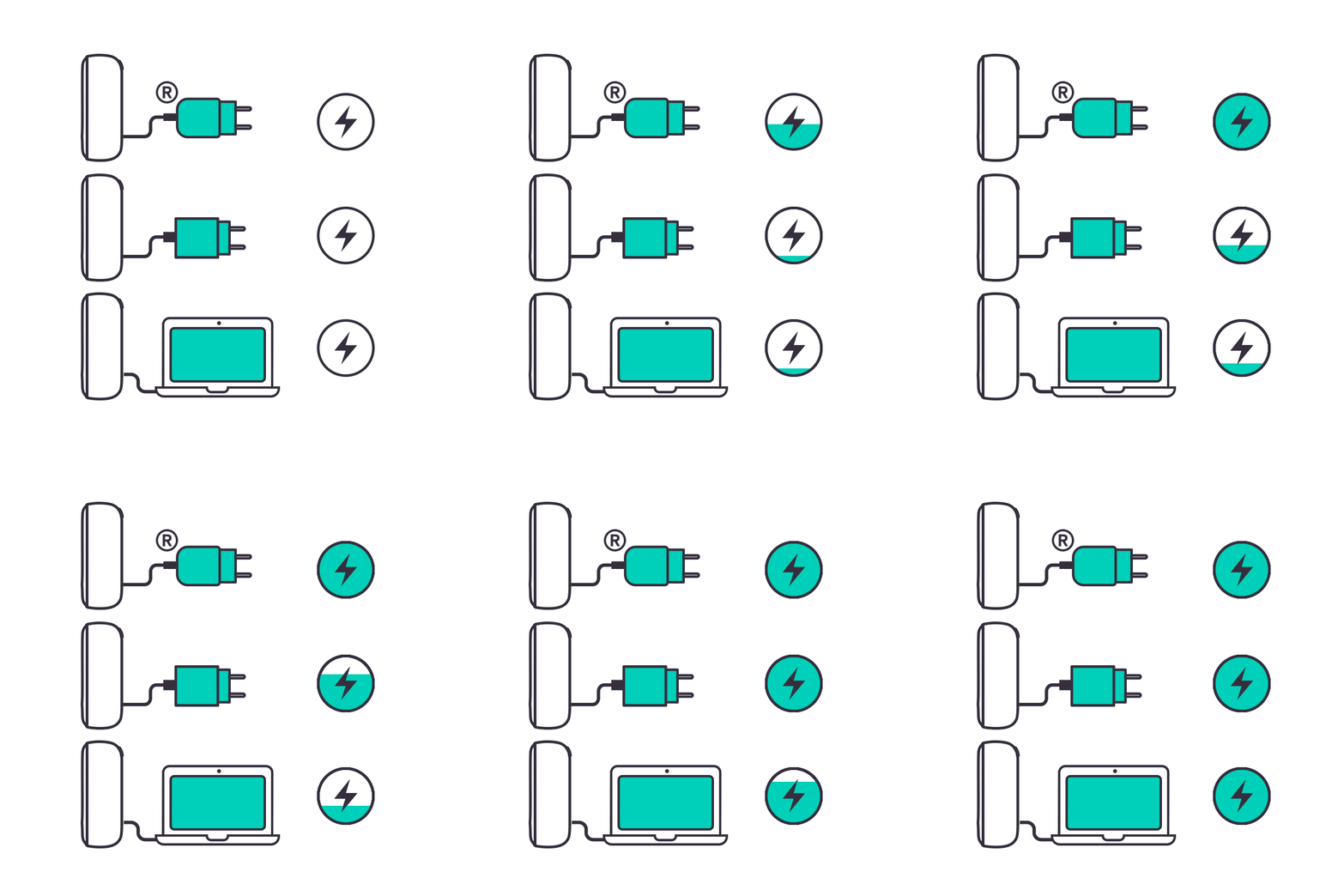
- When your device is being charged with an unofficial power adaptor and cable or with a laptop, it receives the charge much slower. During this moment, if the holder is used and was put back into the pocket charger; for the next experience, your holder doesn’t get the charge fast enough, and warns you about it with the red blinking status light.
- If the contacts between your holder and pocket charger are dusty, this also doesn’t let your holder to charge fast enough and again, your holder warns you about it with the red blinking status light.
1. Ensure the optimal charging for your device:
- Use official IQOS power adaptor and cable. Unofficial ones may interrupt the charging.
- Refrain from charging with a laptop. This may also interrupt the charging.
- Check and remove, if necessary, residues or dust that may interfere with the contacts between holder and pocket charger.
2. Ensure that your device is used within the operating temperature (0-40C); environmental temperature may affect holder’s charging speed as well.
After this information and steps, did you resolve the issue? If the issue continues, proceed to the next troubleshooting step below.
Your device might need a RESET
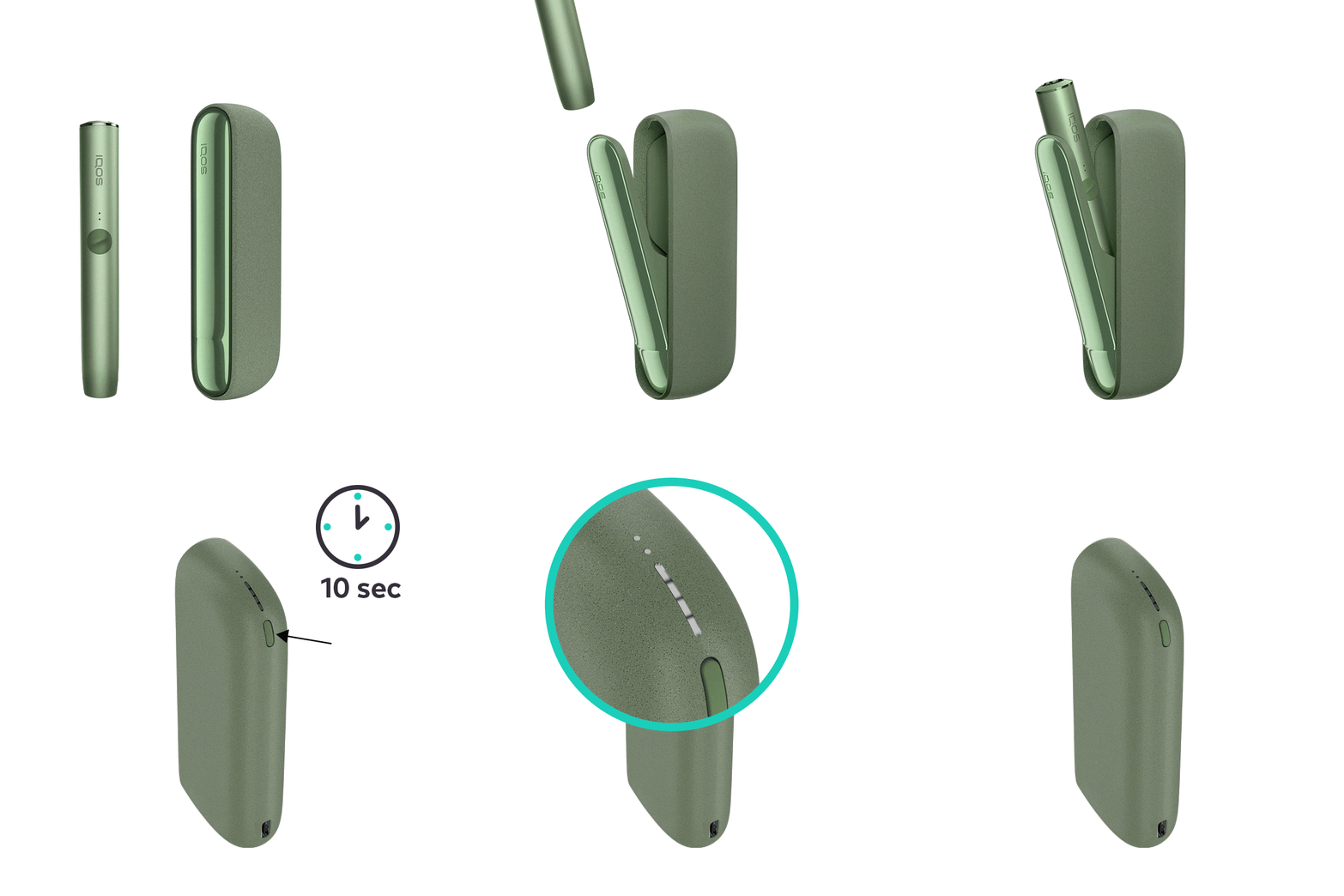
Let's Perform a RESET:
- Place the holder in the Pocket Charger. Ensure to place it correctly.
- Press and hold down the ON/OFF button on the Pocket Charger for 10 seconds until status lights fade out.
- Please note: If your IQOS ILUMA is turned OFF at the time of RESET; when pressing the button, after the first 4 seconds, the device will turn ON: lights will fade in and the device will vibrate. In order to perform the RESET correctly, it is important to keep the button continuously pressed for 10 seconds.
- RESET is confirmed when status lights fade in again and the device vibrates.
After this information and steps, did you resolve the issue? If the issue continues, proceed to the next troubleshooting step below.
Let’s diagnose your holder!
In order to be able to diagnose further, please continue with the Holder troubleshooting guides.
IQOS ILUMA PRIME Pocket Charger
Your holder might be giving you a warning about its charge
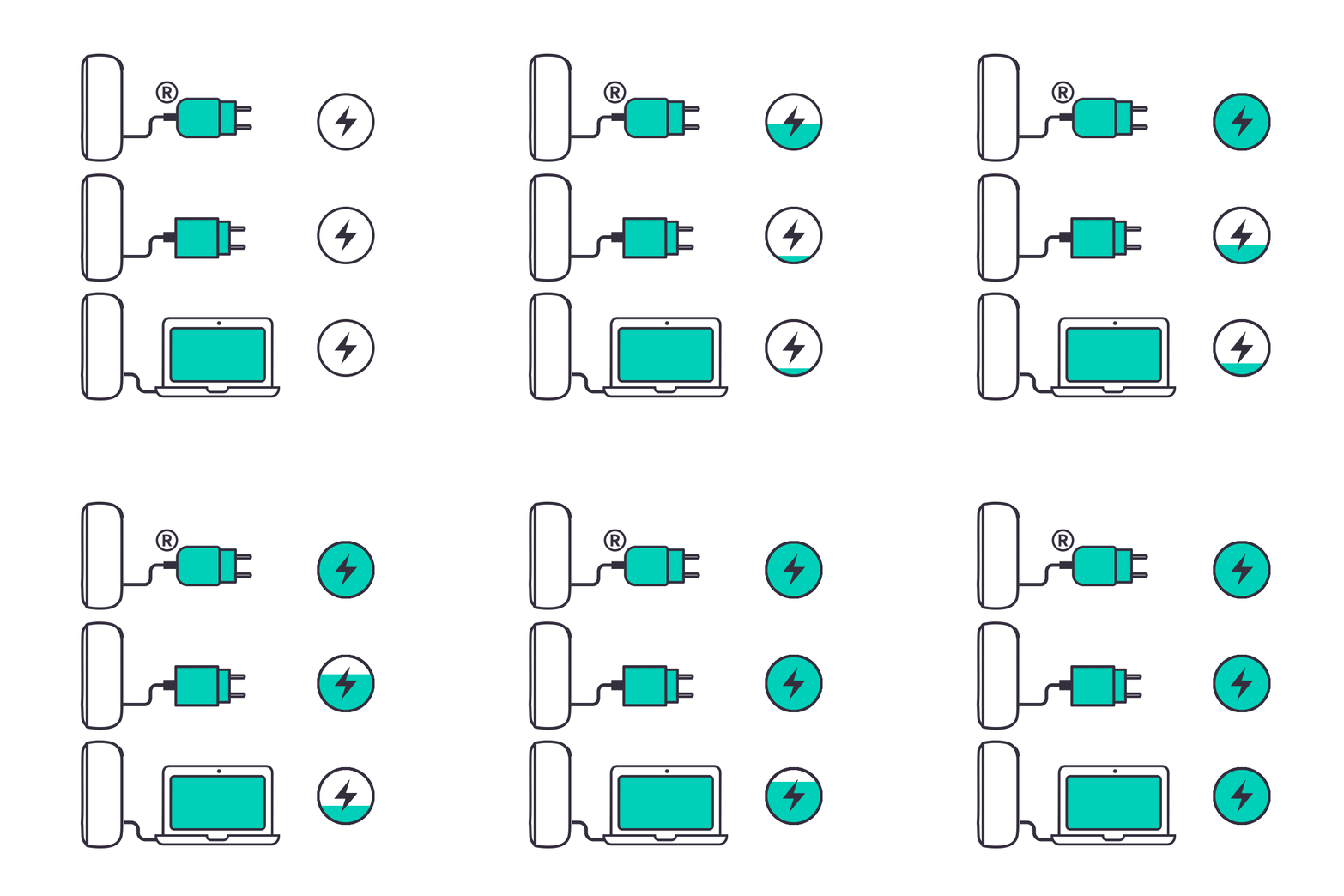
- When your device is being charged with an unofficial power adaptor and cable or with a laptop, it receives the charge much slower. During this moment, if the holder is used and was put back into the pocket charger; for the next experience, your holder doesn’t get the charge fast enough, and warns you about it with the red blinking status light.
- If the contacts between your holder and pocket charger are dusty, this also doesn’t let your holder to charge fast enough and again, your holder warns you about it with the red blinking status light.
1. Ensure the optimal charging for your device:
- Use official IQOS power adaptor and cable. Unofficial ones may interrupt the charging.
- Refrain from charging with a laptop. This may also interrupt the charging.
- Check and remove, if necessary, residues or dust that may interfere with the contacts between holder and pocket charger.
2. Ensure that your device is used within the operating temperature (0-40C); environmental temperature may affect holder’s charging speed as well.
After this information and steps, did you resolve the issue? If the issue continues, proceed to the next troubleshooting step below.
Your device might need a RESET
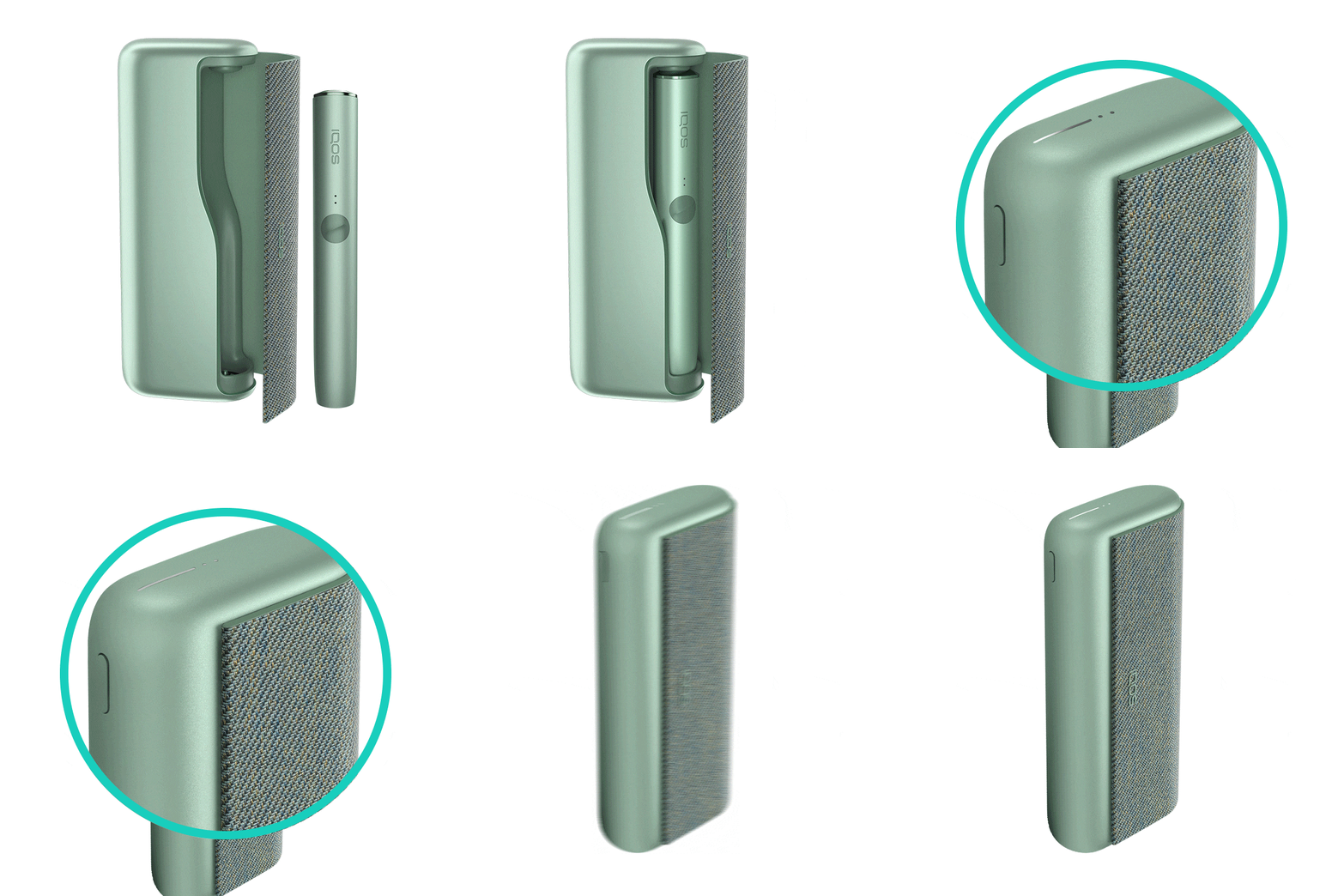
Let's Perform a RESET:
- Place the holder in the Pocket Charger. Ensure the holder is fully inserted in the pocket charger.
- Press and hold down the ON/OFF button on the Pocket Charger for 10 seconds until status lights fade out.
- Please note: If your IQOS ILUMA is turned OFF at the time of RESET; when pressing the button, after the first 4 seconds, the device will turn ON: lights will fade in and the device will vibrate. In order to perform the RESET correctly, it is important to keep the button continuously pressed for 10 seconds.
- RESET is confirmed when status lights fade in again and the device vibrates.
After this information and steps, did you resolve the issue? If the issue continues, proceed to the next troubleshooting step below.
If the issue is resolved
Congratulations! We are happy that you can now continue enjoying IQOS.
- If you need any further support on your device, you can also visit our FAQs
- We are frequently introducing new product and accessories. See what's new by visiting our online store or at one of physical locations