















Feb 4, 2025
IQOS Pocket Charger Blinking White: How to Fix It
Is your IQOS Pocket Charger blinking white?
Your Pocket Charger and holder might have been exposed to outside of operating temperature
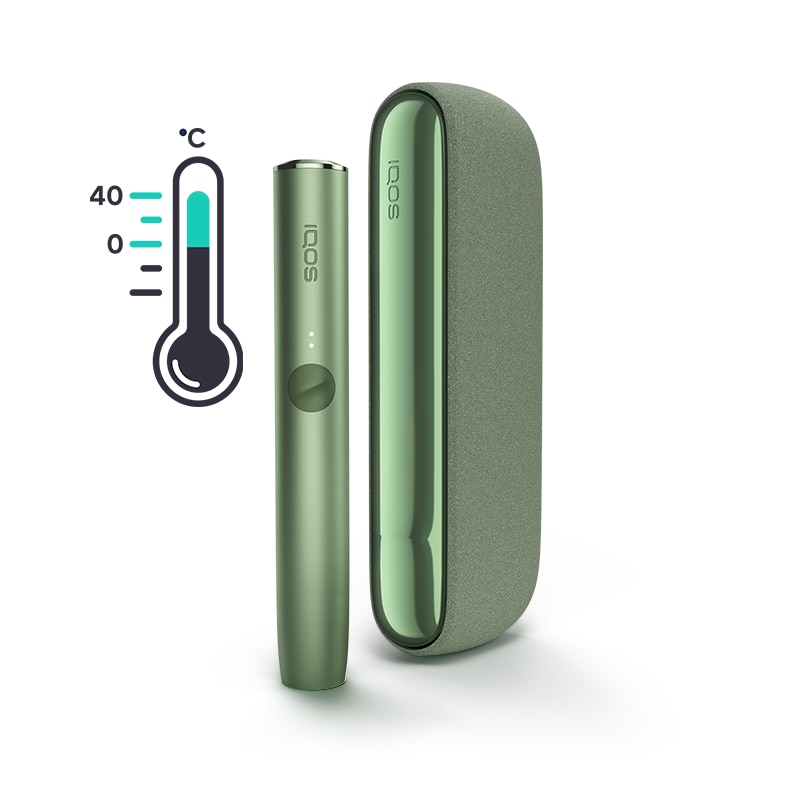
- You may need to give your device a few minutes to get back to the correct temperature. Please note:
- Your IQOS ILUMA is designed to operate between 0°C and 40°C.
- When it is exposed to too cold or too warm temperatures, you may need to let it cool down or warm it up in your pocket.
Was your device exposed to too warm or too cold temperature? If the issue continues, proceed to the next troubleshooting step below.
Your device might need a RESET
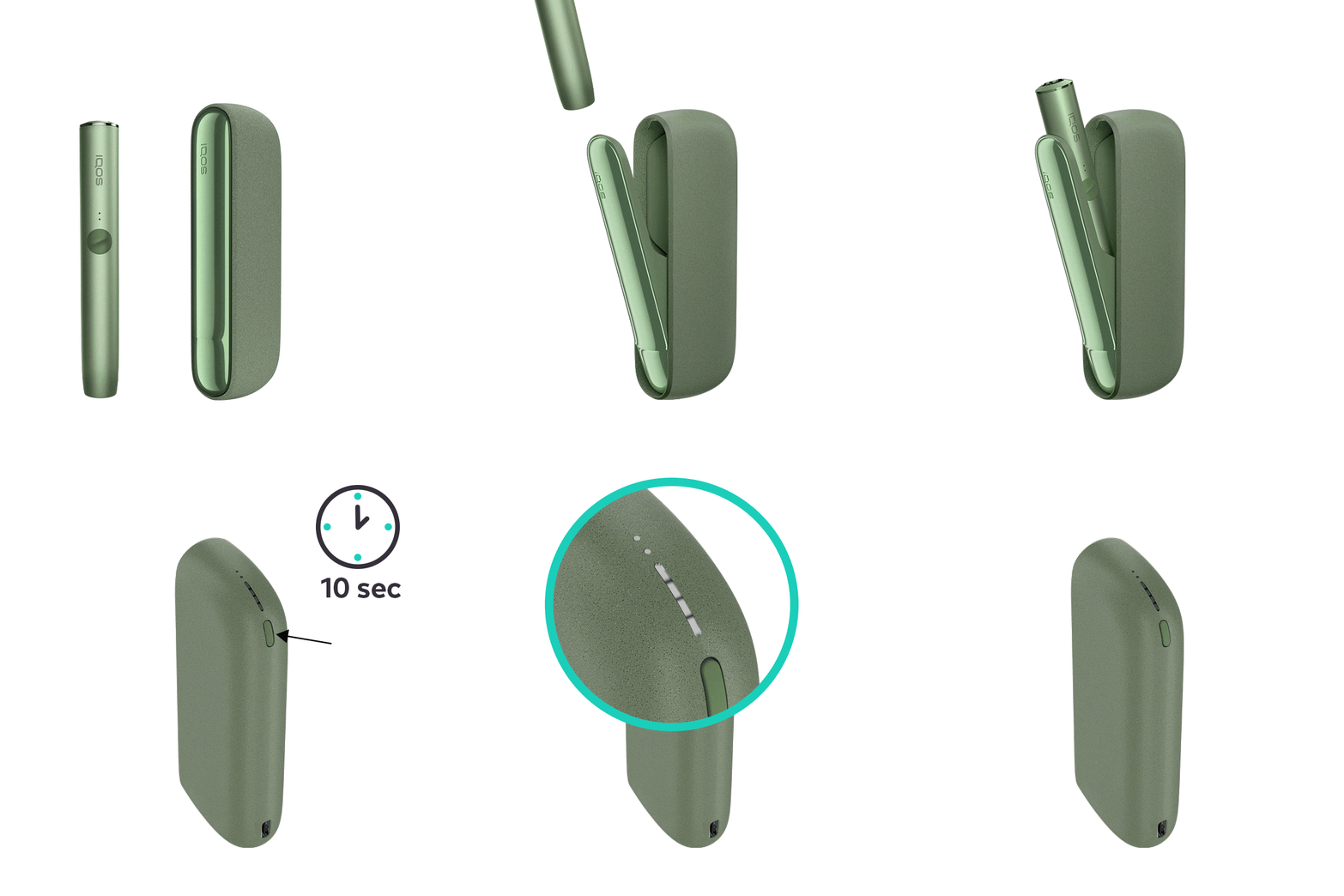
Let's Perform a RESET:
- Place the holder in the Pocket Charger. Ensure to place it correctly.
- Press and hold down the ON/OFF button on the Pocket Charger for 10 seconds until status lights fade out.
- Please note: If your IQOS ILUMA is turned OFF at the time of RESET; when pressing the button, after the first 4 seconds, the device will turn ON: lights will fade in and the device will vibrate. In order to perform the RESET correctly, it is important to keep the button continuously pressed for 10 seconds.
- RESET is confirmed when status lights fade in again and the device vibrates.
Visit “Get Support” section to learn further tips about the maintenance of your device.
If the device is now working, the issue is resolved. If the issue continues, proceed to the next troubleshooting step below.
Visit Get Support Page!
Within “Get Support” page, you can find useful tips and tricks, firmware update and more information about your device usage and maintenance.
If the device is now working, the issue is resolved. If the issue continues, proceed to the next troubleshooting step below.
IQOS ILUMA PRIME Pocket Charger
Your Pocket Charger and holder might have been exposed to outside of operating temperature
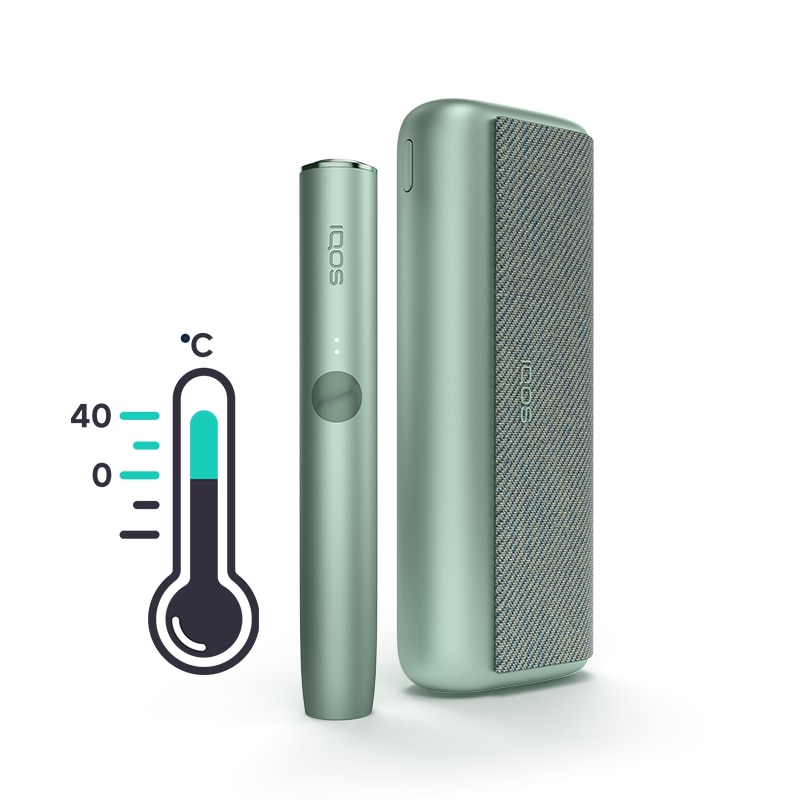
You may need to give your device a few minutes to get back to the correct temperature. Please note:
- Your IQOS ILUMA is designed to operate between 0°C and 40°C.
- When it is exposed to too cold or too warm temperatures, you may need to let it cool down or warm it up in your pocket.
Was your device exposed to too warm or too cold temperature? If the issue continues, proceed to the next troubleshooting step below.
Your device might need a RESET
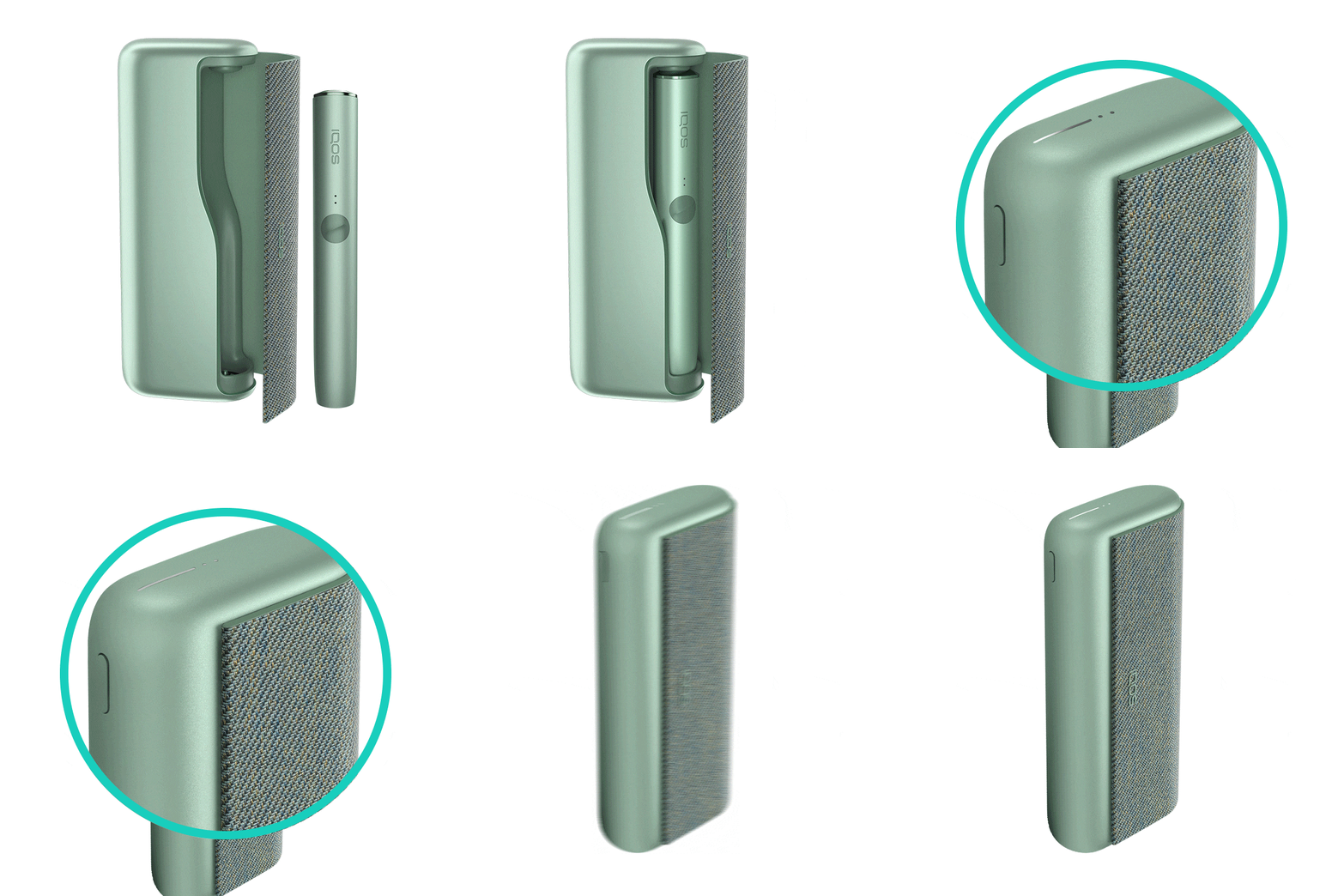
Let's Perform a RESET:
- Place the holder in the Pocket Charger. Ensure the holder is fully inserted in the pocket charger.
- Press and hold down the ON/OFF button on the Pocket Charger for 10 seconds until status lights fade out.
- Please note: If your IQOS ILUMA is turned OFF at the time of RESET; when pressing the button, after the first 4 seconds, the device will turn ON: lights will fade in and the device will vibrate. In order to perform the RESET correctly, it is important to keep the button continuously pressed for 10 seconds.
- RESET is confirmed when status lights fade in again and the device vibrates.
Visit “Get Support” section to learn further tips about the maintenance of your device.
If the device is now working, the issue is resolved. If the issue continues, proceed to the next troubleshooting step below.
If the issue is resolved
Congratulations! We are happy that you can now continue enjoying IQOS.
- If you need any further support on your device, you can also visit our FAQs
- We are frequently introducing new product and accessories. See what's new by visiting our online store or at one of physical locations