















Feb 4, 2025
IQOS Pocket Charger Blinking Yellow or Orange: Fix
Is your IQOS Pocket Charger blinking yellow or orange?
Your Pocket Charger needs to be charged
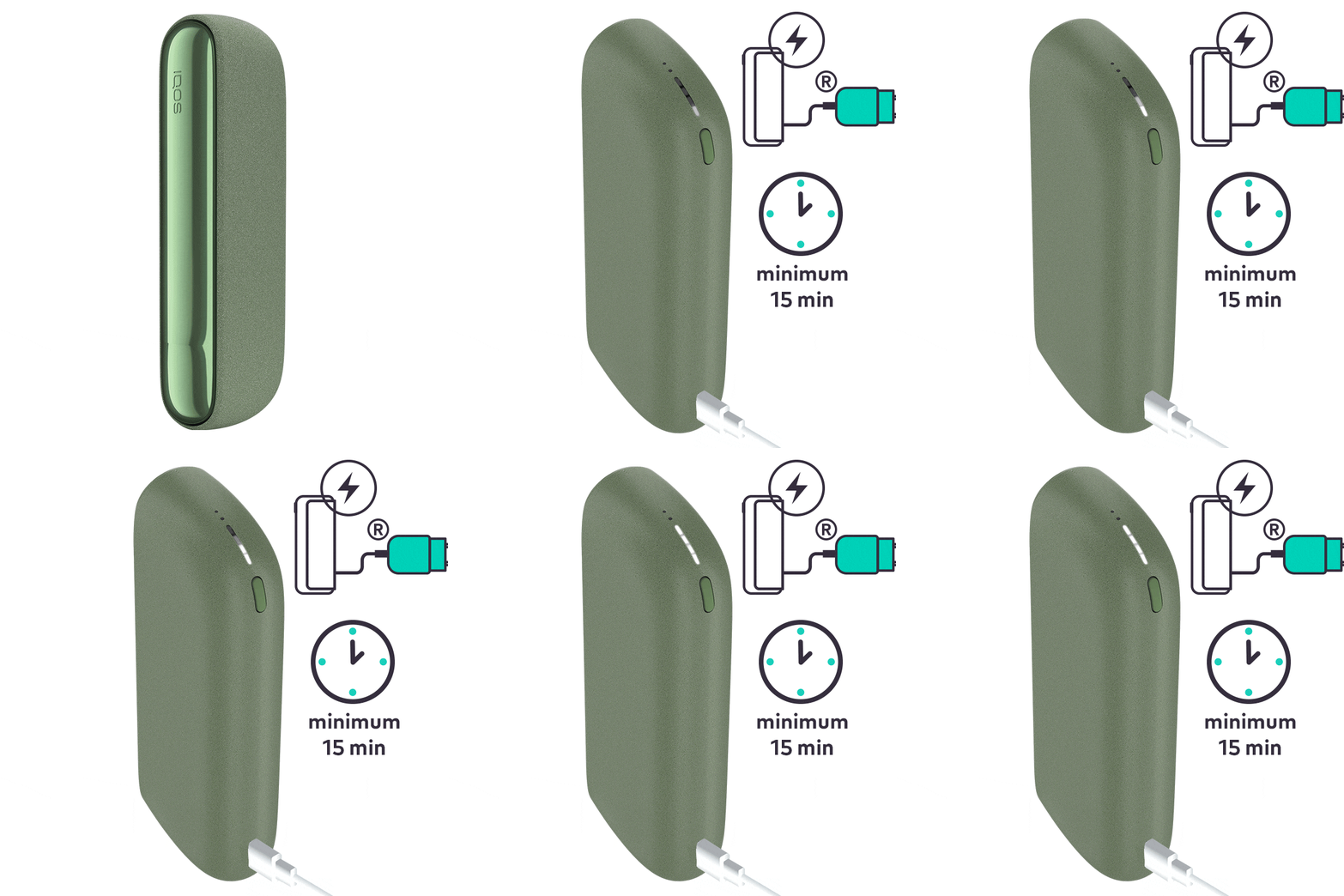
Ensure the optimal charging for your device:
- Always use the official IQOS power adaptor and cable, plug it to your pocket charger and then to a wall power outlet for two hours in order to guarantee a full charge.
- During charging, the strip lights on the pocket charger will pulse. 15 minutes of charge should be sufficient for the yellow light to disappear.
- To check the level of charge of your device, brief press and release of the pocket charger button. For a fully charged device, all 4 strip lights should be solid white.
After these steps, did your pocket charger start to be charged? If the issue continues, proceed to the next troubleshooting step below.
Your device might need a RESET
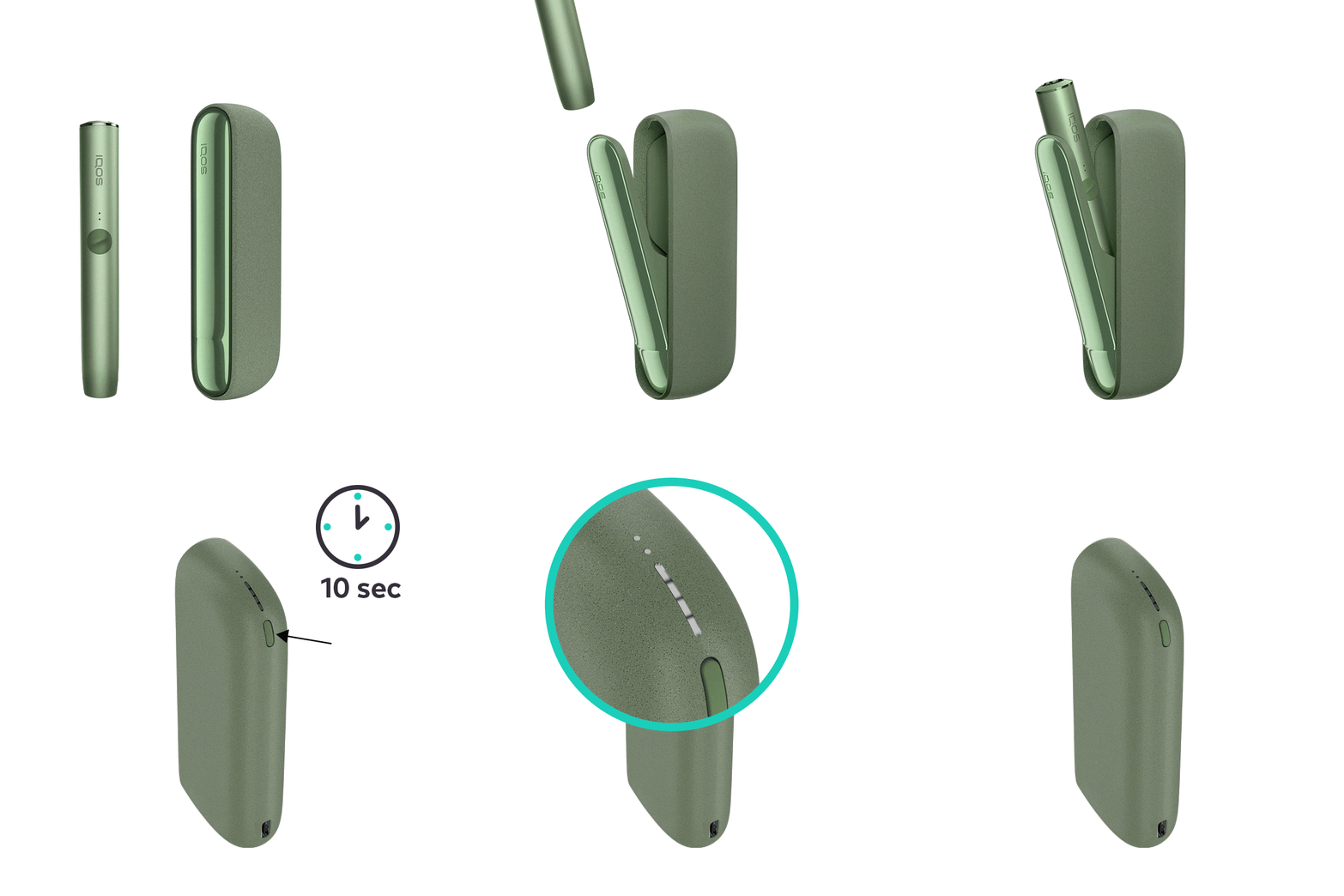
Let's Perform a RESET:
- Place the holder in the Pocket Charger. Ensure to place it correctly.
- Press and hold down the ON/OFF button on the Pocket Charger for 10 seconds until status lights fade out.
- Please note: If your IQOS ILUMA is turned OFF at the time of RESET; when pressing the button, after the first 4 seconds, the device will turn ON: lights will fade in and the device will vibrate. In order to perform the RESET correctly, it is important to keep the button continuously pressed for 10 seconds.
- RESET is confirmed when status lights fade in again and the device vibrates.
After these steps, is your pocket charger working? If the issue continues, proceed to the next troubleshooting step below.
IQOS ILUMA PRIME Pocket Charger
Your Pocket Charger needs to be charged
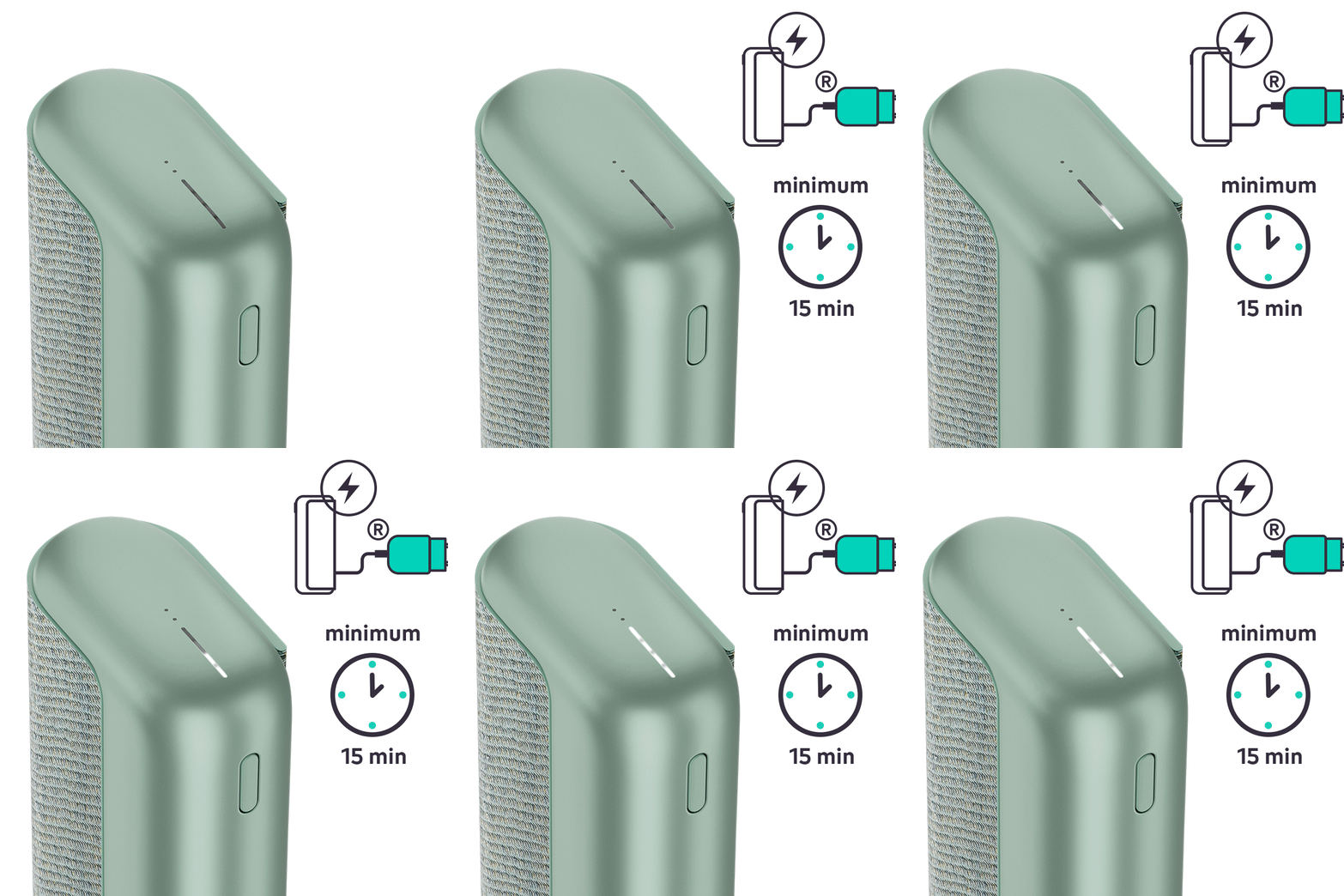
Ensure the optimal charging for your device:
- Always use the official IQOS power adaptor and cable, plug it to your pocket charger and then to a wall power outlet for two hours in order to guarantee a full charge.
- During charging, the strip lights on the pocket charger will pulse. 15 minutes of charge should be sufficient for the yellow light to disappear.
- To check the level of charge of your device, brief press and release of the pocket charger button. For a fully charged device, all 4 strip lights should be solid white.
After these steps, did your pocket charger start to be charged? If the issue continues, proceed to the next troubleshooting step below.
Your device might need a RESET
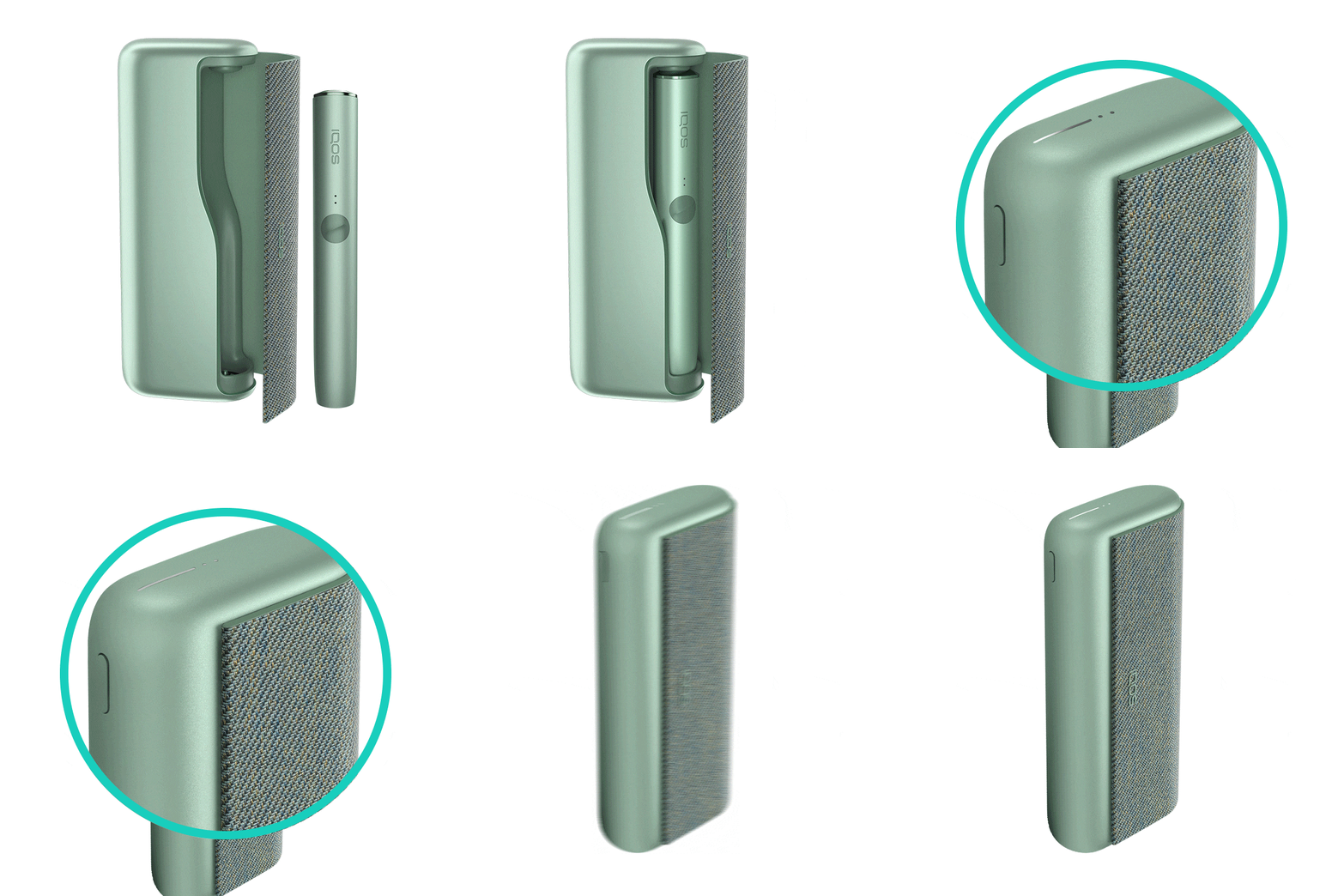
Let's Perform a RESET:
- Place the holder in the Pocket Charger. Ensure the holder is fully inserted in the pocket charger.
- Press and hold down the ON/OFF button on the Pocket Charger for 10 seconds until status lights fade out.
- Please note: If your IQOS ILUMA is turned OFF at the time of RESET; when pressing the button, after the first 4 seconds, the device will turn ON: lights will fade in and the device will vibrate. In order to perform the RESET correctly, it is important to keep the button continuously pressed for 10 seconds.
- RESET is confirmed when status lights fade in again and the device vibrates.
After these steps, is your pocket charger working? If the issue continues, proceed to the next troubleshooting step below.
If your device is eligible, we will place a replacement order for you!
If the issue is resolved
Congratulations! We are happy that you can now continue enjoying IQOS.
- If you need any further support on your device, you can also visit our FAQs
- We are frequently introducing new product and accessories. See what's new by visiting our online store or at one of physical locations