















Feb 4, 2025
IQOS Pocket Charger Not Charging Holder: How to Fix
Is your IQOS Pocket Charger not charging the Holder?
Your Pocket charger might be OFF
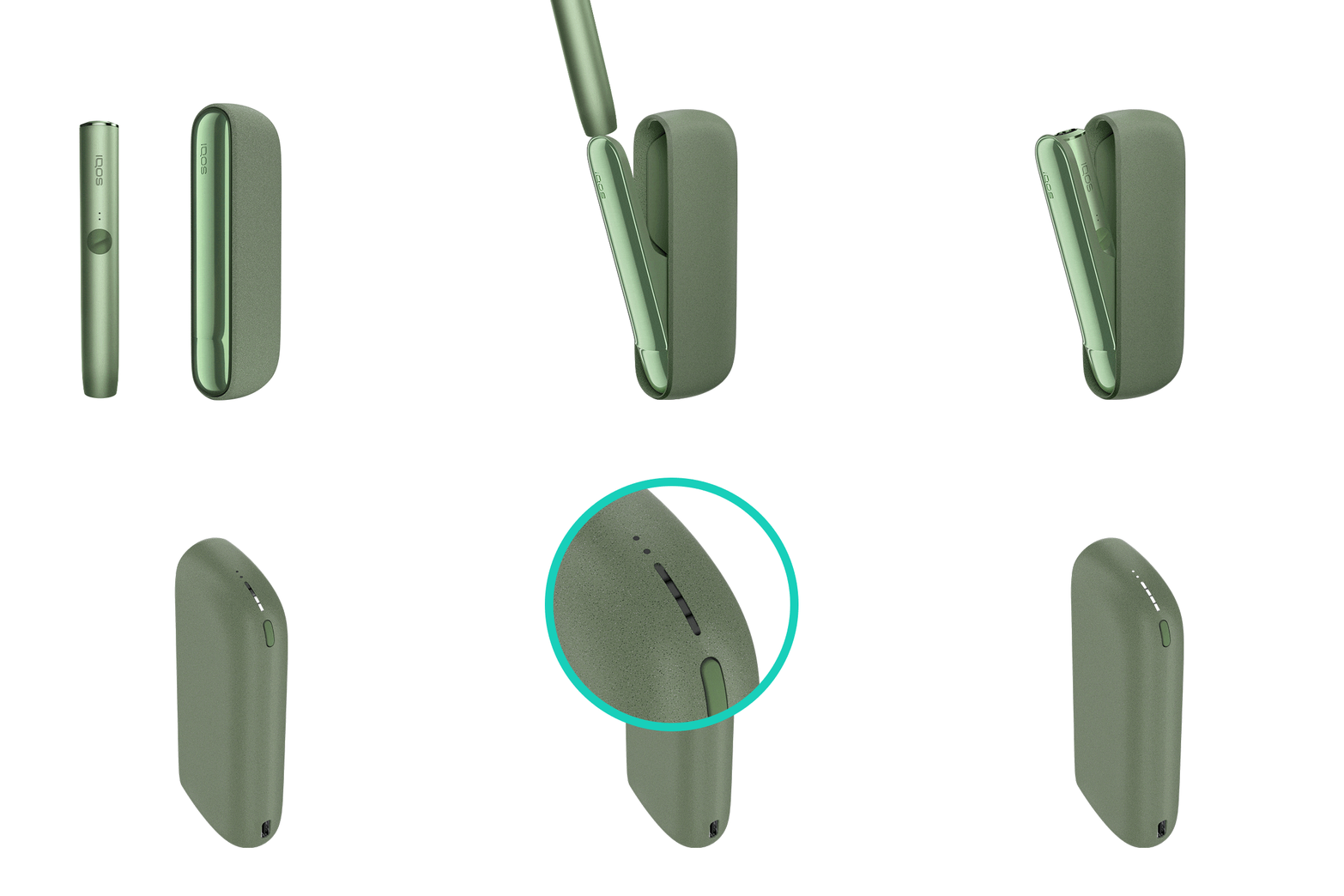
- Place the holder inside the pocket charger. Ensure to place it correctly.
- Press the pocket charger button for 4 seconds to turn your device ON. Remember, the same action applies to turn it OFF as well. Turning OFF the pocket charger will also turn OFF the holder.
After these steps, is your holder started to be charged? If the issue continues, proceed to the next troubleshooting step below.
Your device might not have the optimal charging
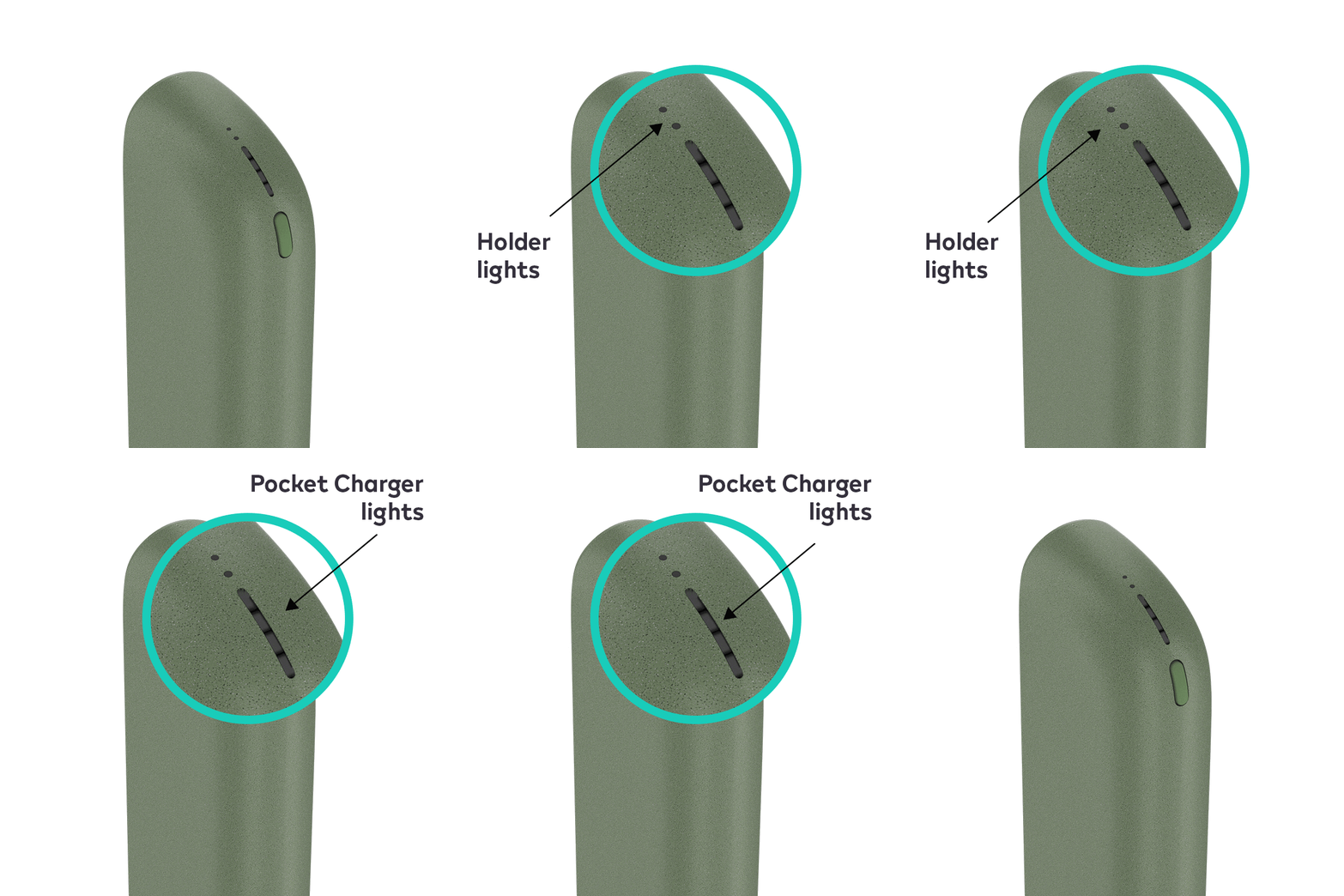
- Check the pocket charger‘s charge level by briefly pressing and releasing the pocket charger button. When your pocket charger is fully charged, all 4 strip lights will turn solid white. To ensure the optimal charging for your Pocket Charger, please always follow these steps:
- Use official IQOS power adaptor and cable. Unofficial ones may interrupt the charging.
- Refrain from charging with a laptop. This may also interrupt the charging.
- Plug the pocket charger into a wall power outlet and ensure a full charging.
- Ensure the optimal charging of your holder:
- Place the holder inside the pocket charger. Make sure to place it correctly.
- Check and remove, if necessary, residues or dust that may interfere with the contacts between holder and pocket charger.
- Holder lights on the Pocket Charger will start pulsating to confirm the device is charging.
- Leave the holder to charge for about 5 minutes or until the first light turn solid white.
After this information and steps, did you resolve the issue? If the issue continues, proceed to the next troubleshooting step below.
IQOS ILUMA PRIME Pocket Charger
Your Pocket charger might be OFF
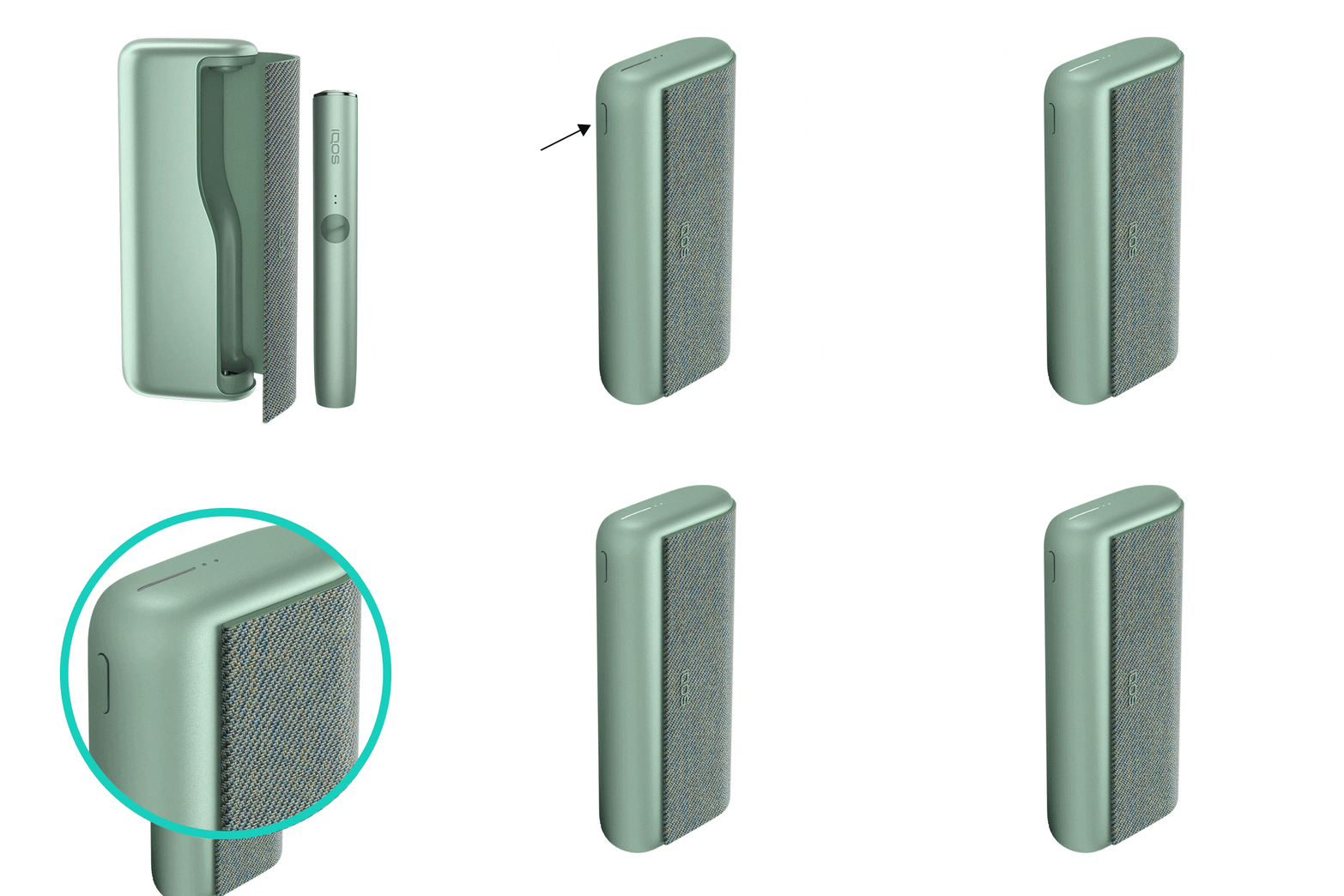
- Place the holder inside the pocket charger. Ensure to place it correctly.
- Press the pocket charger button for 4 seconds to turn your device ON. Remember, the same action applies to turn it OFF as well. Turning OFF the pocket charger will also turn OFF the holder.
After these steps, is your holder started to be charged? If the issue continues, proceed to the next troubleshooting step below.
Your device might not have the optimal charging
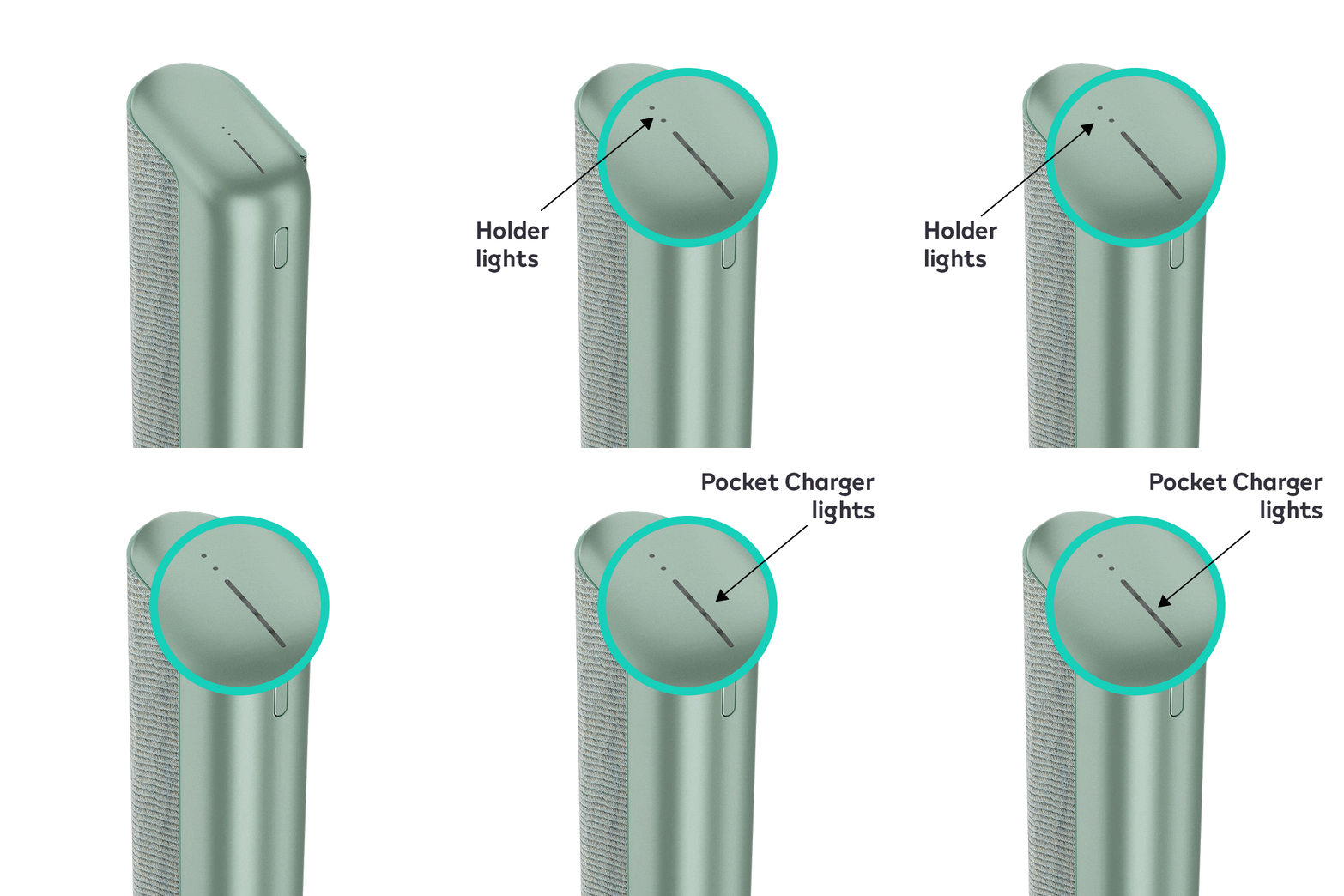
- Check the pocket charger‘s charge level by briefly pressing and releasing the pocket charger button. When your pocket charger is fully charged, all 4 strip lights will turn solid white. To ensure the optimal charging for your Pocket Charger, please always follow these steps:
- Use official IQOS power adaptor and cable. Unofficial ones may interrupt the charging.
- Refrain from charging with a laptop. This may also interrupt the charging.
- Plug the pocket charger into a wall power outlet and ensure a full charging.
- Ensure the optimal charging of your holder:
- Place the holder inside the pocket charger. Make sure to place it correctly.
- Check and remove, if necessary, residues or dust that may interfere with the contacts between holder and pocket charger.
- Holder lights on the Pocket Charger will start pulsating to confirm the device is charging.
- Leave the holder to charge for about 5 minutes or until the first light turn solid white.
After these steps, did your pocket charger start to charge the holder? If the issue continues, proceed to the next troubleshooting step below.
If your device is eligible, we will place a replacement order for you!
If the issue is resolved
Congratulations! We are happy that you can now continue enjoying IQOS.
- If you need any further support on your device, you can also visit our FAQs
- We are frequently introducing new product and accessories. See what's new by visiting our online store or at one of physical locations